
Ray-Ban Meta Glasses Development: Day 2 (Capturing Audio)
Started my second day of Ray-Ban Meta development to capture audio
Summary
I started my second day of Ray-Ban Meta development yesterday. I took a look through Meta's Use device microphones and speakers documentation to get started. Based on the iOS sample code, I already knew it wasn't going to help much. Most of the help came from Claude, but even Claude provided incorrect implementations when it came to setting up audio sessions, capturing audio, and playing it back.
Objectives
- Capture audio from Ray-Ban Meta glasses microphones
- Play audio back from iPhone speaker
Issues Encountered
Audio Output
Audio output was routed to my glasses, but input was still on my phone, even though the code seemed to be correct—using the default device for both. The nuance here was:
- Audio input was set to default
- Audio output was set to default
- Audio output was through the glasses (signifying the default was the glasses)
- Even though audio input was set to default, audio input was through the phone's mic (signifying I'm working with two different defaults)
To fix the audio output issue, I used the following:
// ...
    func playRecording(url: URL) {
        do {
            let session = AVAudioSession.sharedInstance()
            try session.setCategory(.playAndRecord, mode: .default, options: [.defaultToSpeaker])
            try session.setActive(true)

            player = try AVAudioPlayer(contentsOf: url)
            player?.play()
        } catch {
            errorMessage = error.localizedDescription
        }
    }
// ...
Audio Input
The Meta Wearables Access Device Toolkit shows the following sample iOS code (updated Feb 24, 2026):
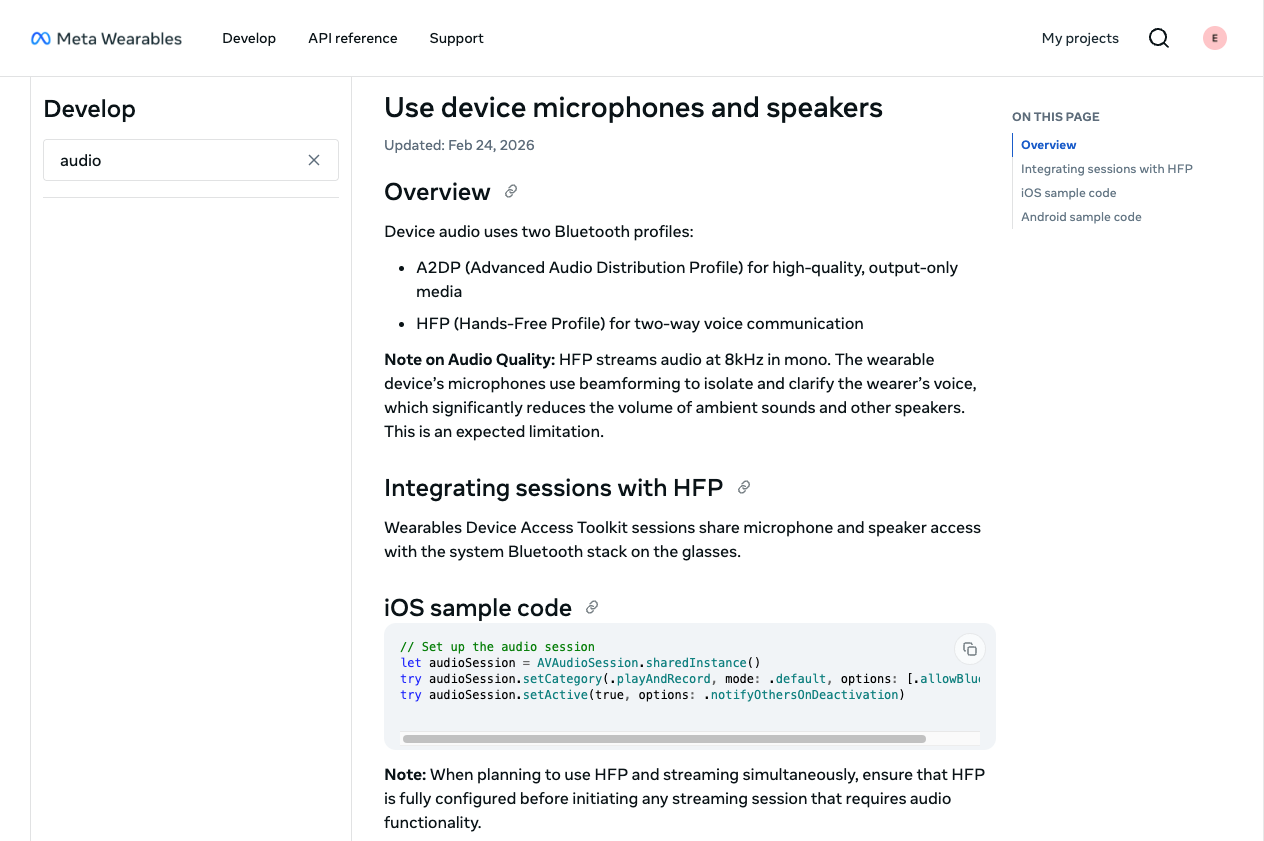
While testing, I ran into issues capturing audio from my glasses. The code I initially started with was the sample code:
// Set up the audio session
let audioSession = AVAudioSession.sharedInstance()
try audioSession.setCategory(.playAndRecord, mode: .default, options: [.allowBluetooth])
try audioSession.setActive(true, options: .notifyOthersOnDeactivation)
One of the first issues I ran into was with .allowBluetooth. I had to change that to .allowBluetoothHFP. Ultimately, I had issues with different combinations of setting up the audio session for recording, which you'll see in tests 1-4 in my video (between minute markers 04:51 and 07:58).
After tinkering with different settings and trying to ensure I can capture audio from my glasses' mic and play it back from my phone's speakers, I achieved my goal of capturing audio.
The code that ensures I'm using my glasses for audio input looks like:
// ...
            let session = AVAudioSession.sharedInstance()

            try session.setCategory(
                .playAndRecord,
                mode: .default,
                options: [.allowBluetoothHFP]
            )

            try session.setActive(true)

            let availableInputs = session.availableInputs ?? []

            if let bluetoothInput = availableInputs.first(where: {
                $0.portType == .bluetoothHFP
            }) {
                try session.setPreferredInput(bluetoothInput)
            } else {
                DispatchQueue.main.async {
                    self.errorMessage = "Glasses not found as audio input"
                }
                return
            }
// ...
Looking Forward
Capturing audio sets me up for my next goal: sending audio to the cloud for further processing with other APIs (other AI, Alexa, smart home devices, etc.). I'm not 100% sure what use case I want to go with yet, but I have some time to figure it out.
Stay tuned for my Day 3 video!